







Desktop App Launch: Send AR Greetings from Your PC & Mac
Ping Me Happy is launching the Wall of Kindness, a global campaign where personalised AR Pings spread joy and connection.

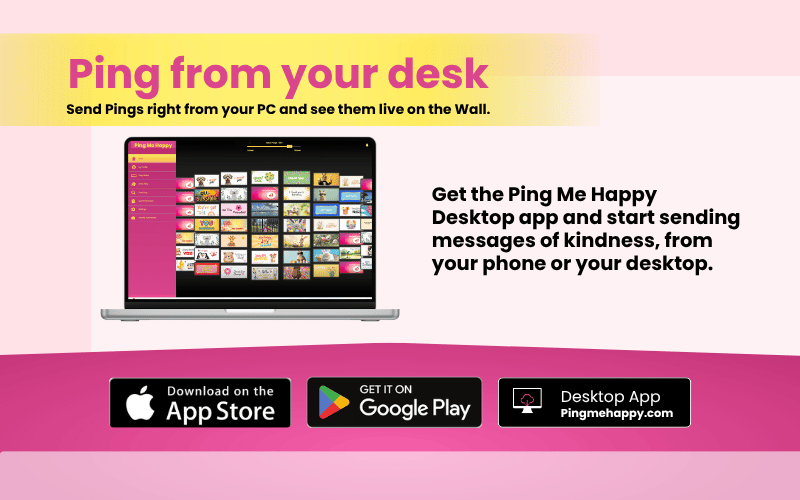

Same Kindness, Bigger Screen!
Ping Me Happy is now available on a desktop app. Specifically, the app is live for both PC and Mac, alongside the existing iOS and Android apps. As a result, you can now create, personalise, and send a Ping from your computer, not just your phone.
Why a Desktop App Version?
Many of our users asked for this. Specifically, people wanted to send a Ping while working at their desk, without switching to their phone. Consequently, the Ping Me Happy Desktop app brings the full experience to a bigger screen, with the same speed and simplicity you already know.
What You Can Do on the Desktop App?
- Create and Send Pings – Personalise your animated greeting message on a full-size screen, then send it in seconds.
- Browse the Wall of Kindness – View sent and received Pings just as you would on mobile.
- Manage Your Wallet – Check your Ping balance, top up, or manage your subscription from your computer.
- Business & Charity Walls – Business owners and charity partners can now manage their branded Wall directly from their desktop, making it easier to track engagement during the working day.
What Stays the Same
Because your wallet is tied to your account, not your device, every Ping you’ve sent or received is available the moment you sign in on desktop. Therefore, there’s nothing to transfer and nothing to set up again.
Augmented reality viewing, however, remains a mobile-only feature. So, to view a Ping in AR, you’ll still need to open it on your phone. On desktop, Pings display in their standard, non-AR format instead.
How to Get Started
Getting started only takes a minute. First, download the desktop app from pingmehappy.com. Then, sign in with your existing account, or create a new one if you’re new to Ping Me Happy. After that, you’re ready to send your first Ping, free.
Frequently Asked Questions
Is Ping Me Happy available on the desktop app now? Yes. Ping Me Happy is available for download on both PC and Mac, in addition to the existing iOS and Android apps.
Do I need a new account to use the desktop app? No. Because your wallet is linked to your account (tied to your phone number) rather than a specific device, you simply sign in with your existing details, and all your Pings and Ping credits are already there.
Can I view Pings in Augmented Reality on desktop? Not yet. AR viewing is currently a mobile-only feature. Pings viewed on desktop display in standard, non-AR format instead.
Is the desktop app free to download? Yes. Downloading and signing in is free. Standard Ping pricing applies in the same way it does on mobile.
Can businesses and charities manage their Wall from the desktop? Yes. Business and Charity Wall owners can now manage their Wall, track engagement, and review activity directly from the desktop dashboard.
Download Ping Me Happy Desktop App Today
Whether you’re at your desk or on the move, Ping Me Happy now goes wherever you work. Download the desktop app today and send your first Ping free.
Media Contact
For interviews, high-resolution assets, or additional information, please contact Ping Me Happy via the Media Center at pingmehappy.com/media-center/. Alternatively, reach out through the app’s official social channels below:
Instagram: instagram.com/pingmehappy
Facebook: facebook.com/PingMeHappy
TikTok: @pingmehappy